Workload Planner
Team workload planner: see overload weeks ahead
Sanvit HR shows who is booked on what for the next six weeks, against your team's real capacity after leave and holidays, so overload shows up before a deadline slips.
From ₹9,999 a month · Free implementation · 14-day free trial, no credit card
Six weeks of booked hours against capacity
- Booked hours per week, stacked by project, against team capacity.
- Occupancy for every person after leave and holidays.
- Overbooked people stand out, weeks before it hurts.
- Spare room is visible too, so work can be moved to where there is space.
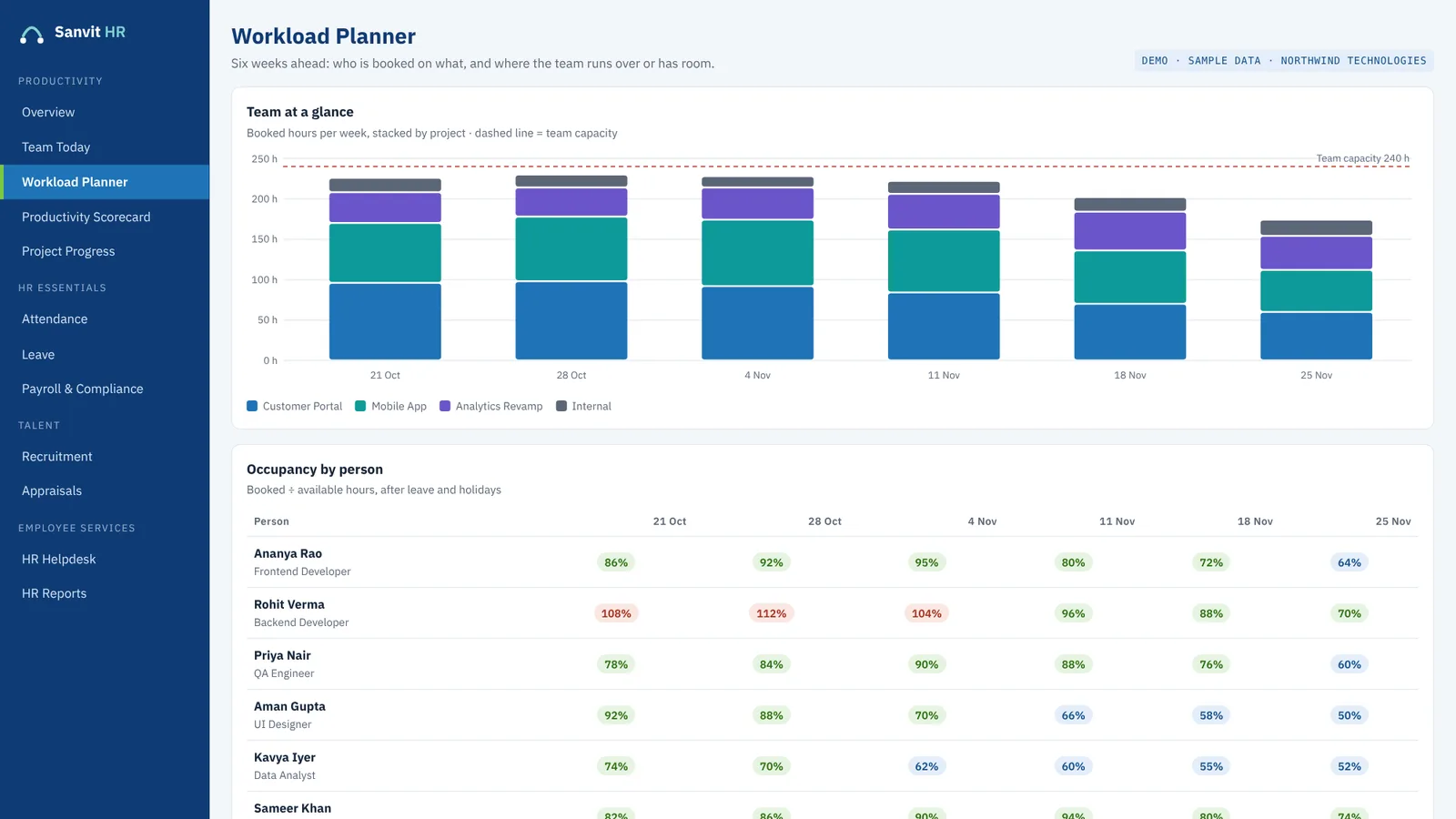
Screen shown with sample data.
Plan the day, then close the day
- Each person's plan for today next to the hours they logged.
- See who is on track, who had a long day and who is behind.
- End-of-day reports collected in one place.
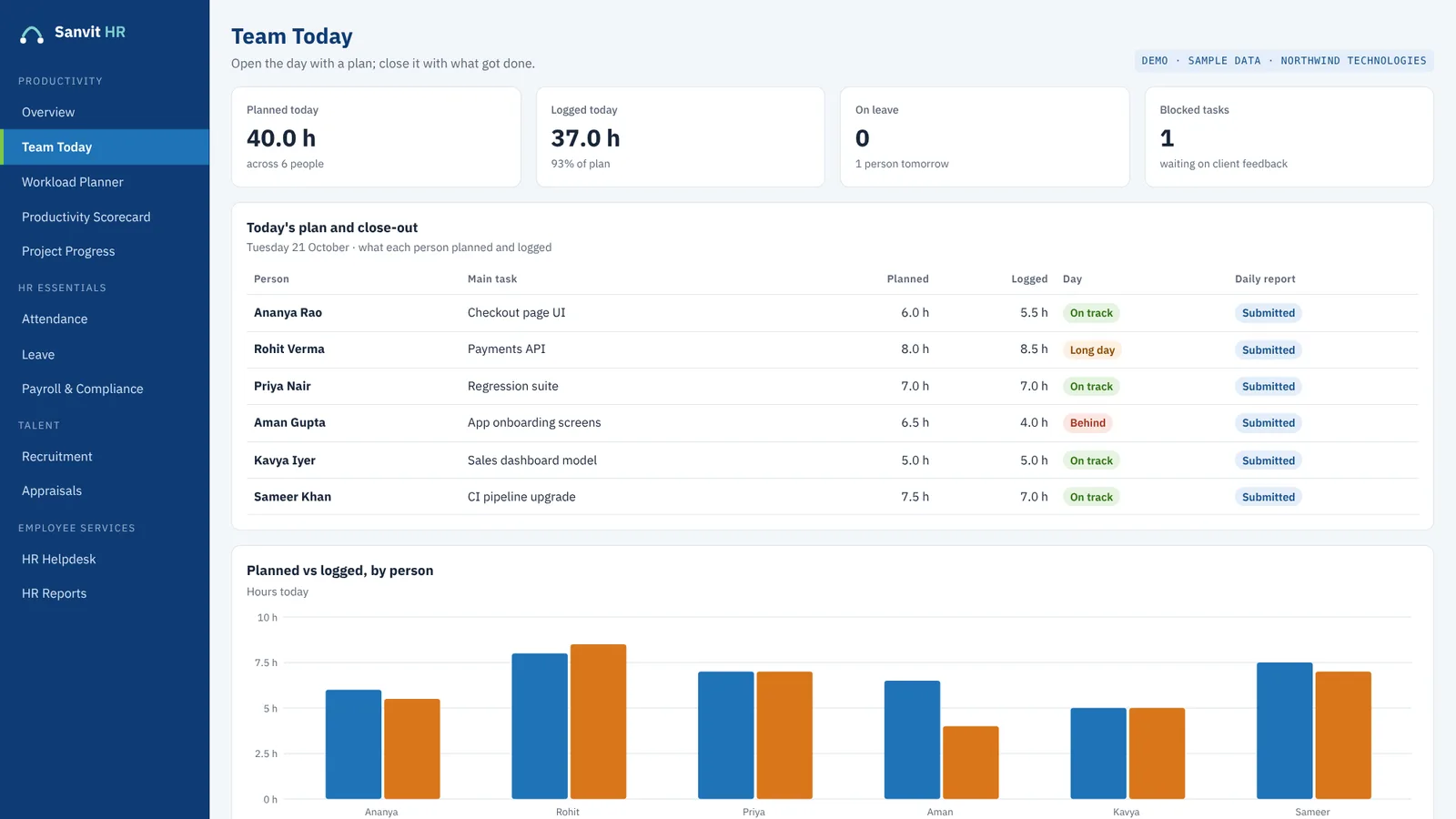
Screen shown with sample data.
Because leave and holidays are in the same system
Most workload tools show booked hours against a flat 40-hour week. In Sanvit HR, the attendance and leave records sit in the same platform, so occupancy is measured against the hours people are actually available.
Which plan includes the workload planner?
The Basic plan includes the full HRMS and the core productivity tool. Ask us during your demo which productivity modules sit in which plan, so you can choose with the real picture in front of you.
Questions
Frequently asked questions
How far ahead does the workload planner look?
Six weeks. It shows booked hours per week by project against team capacity, plus occupancy for each person.
Does it account for leave and holidays?
Yes. Occupancy is booked hours divided by available hours after leave and holidays, because leave and holiday records live in the same platform.
Can it show project cost against budget?
Yes. The Project Progress screen shows planned, worked and achieved hours and manpower cost against budget as it is spent.
Who is the workload planner for?
Managers of teams that work on projects, who need to know who is booked on what and where the team has room.
Can I see it before I decide?
Yes. Book a free 30-minute demo, and there is a 14-day free trial afterwards with no credit card.
Keep exploring
More from Sanvit HR
Workforce productivity
Daily plans, six-week workload and project cost against budget, in one platform.
Read more →Performance management
Appraisal cycles with goals and reviews, backed by a productivity scorecard.
Read more →HRMS for India
The full HRMS for Indian companies, with a productivity tool built in.
Read more →See Sanvit HR with your own team in mind
Book a free 30-minute online demo. We confirm your slot by email, and a 14-day free trial follows, with no credit card.
Book a free demo