Workforce productivity
Workforce productivity software that connects people, projects and cost
Sanvit HR plans each day, shows workload six weeks ahead and measures productivity from the work itself, then ties the hours to project cost against budget.
From ₹9,999 a month · Free implementation · 14-day free trial, no credit card
Plan the day, then close the day
- Each person's plan for today next to the hours they logged.
- See who is on track, who had a long day and who is behind.
- End-of-day reports collected in one place.
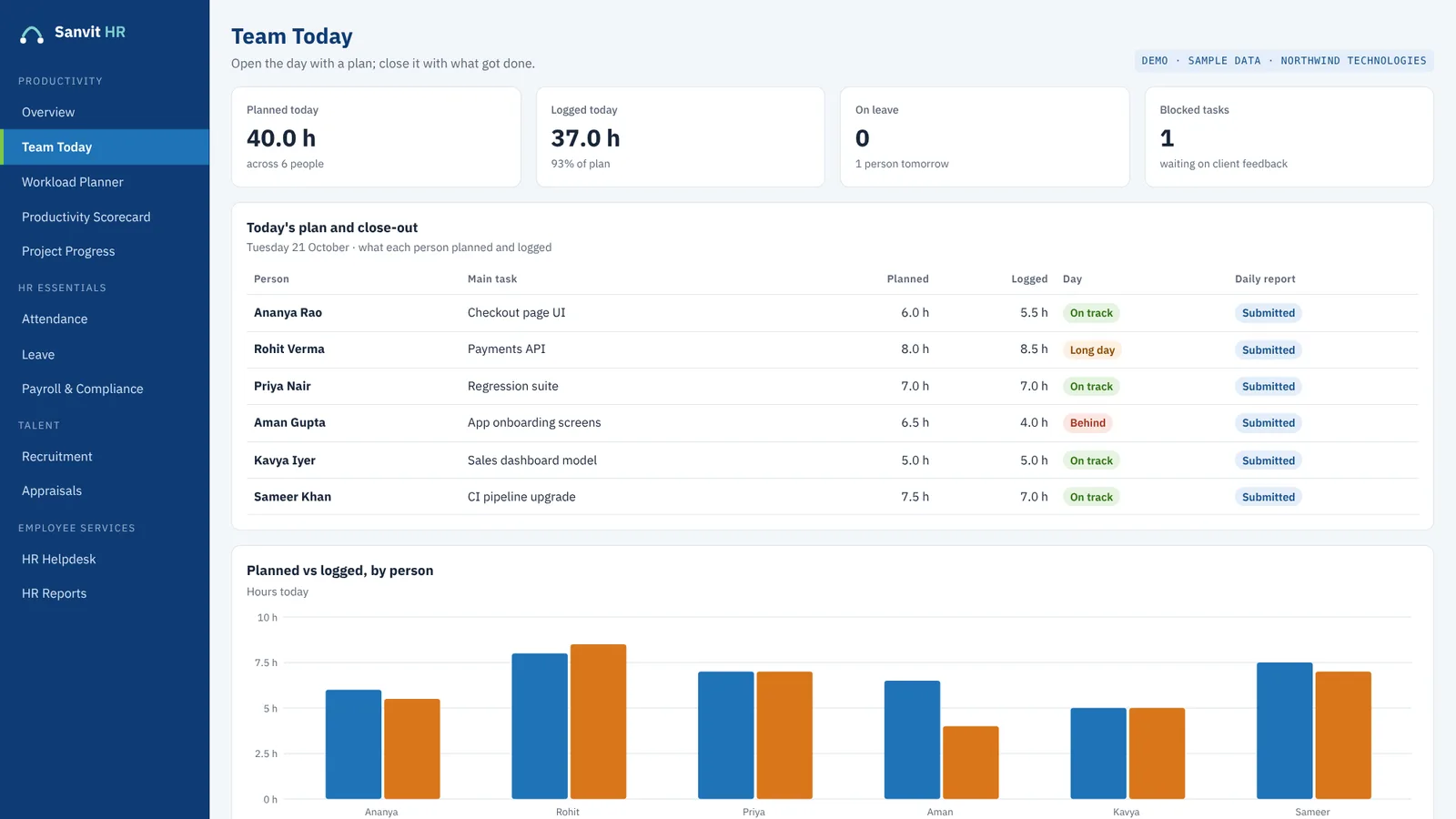
Screen shown with sample data.
Project cost against budget, as it is spent
- Planned, worked and achieved hours, day by day.
- Manpower cost against budget, as it is spent.
- Slippage shows early, while there is still time to act.
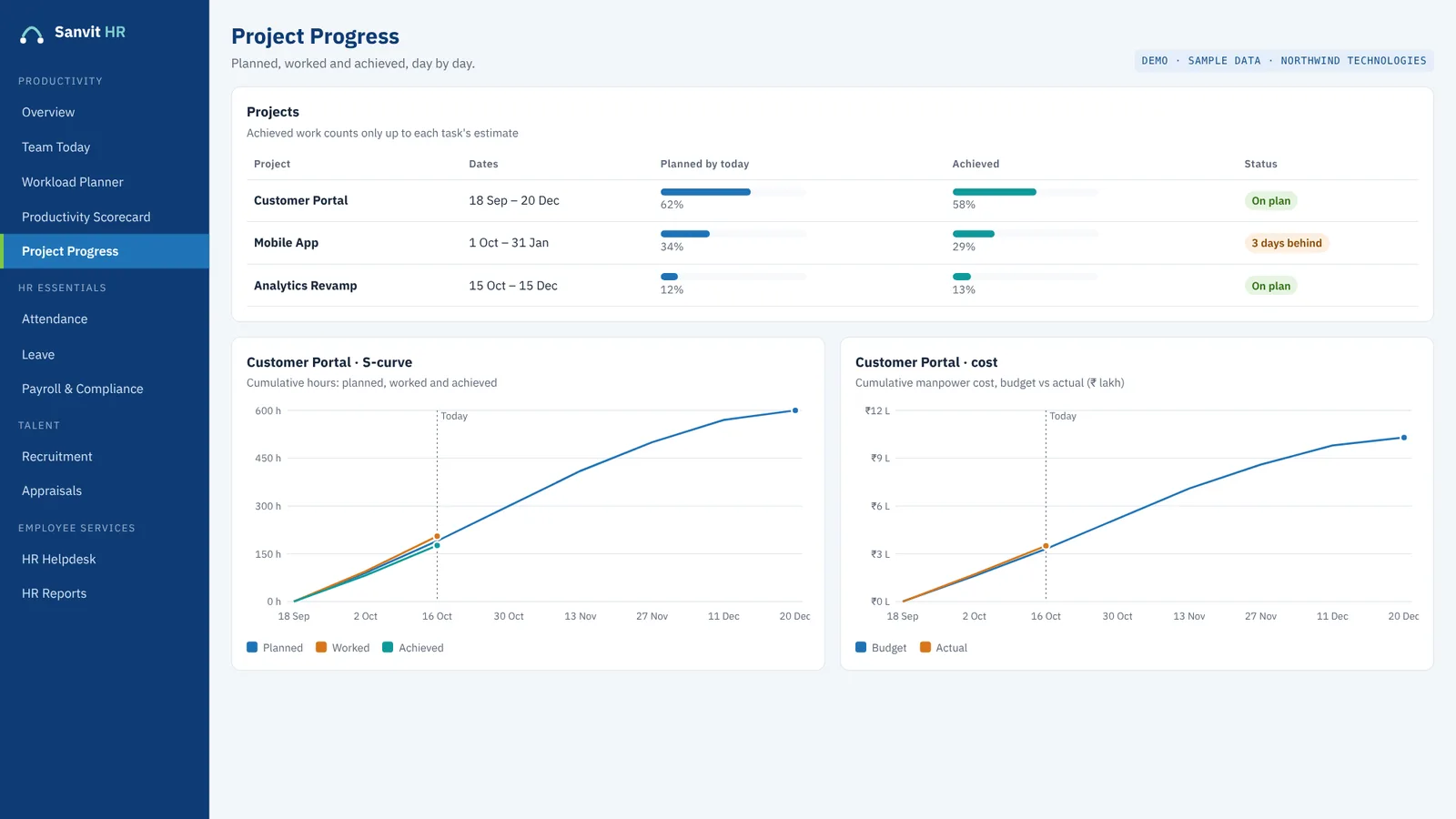
Screen shown with sample data.
Measures that explain why delivery slips
- Utilisation, on-time delivery, estimate accuracy and rework, per person.
- Where the team's hours went, by type of work.
- Why tasks slipped, with reasons confirmed by the manager.
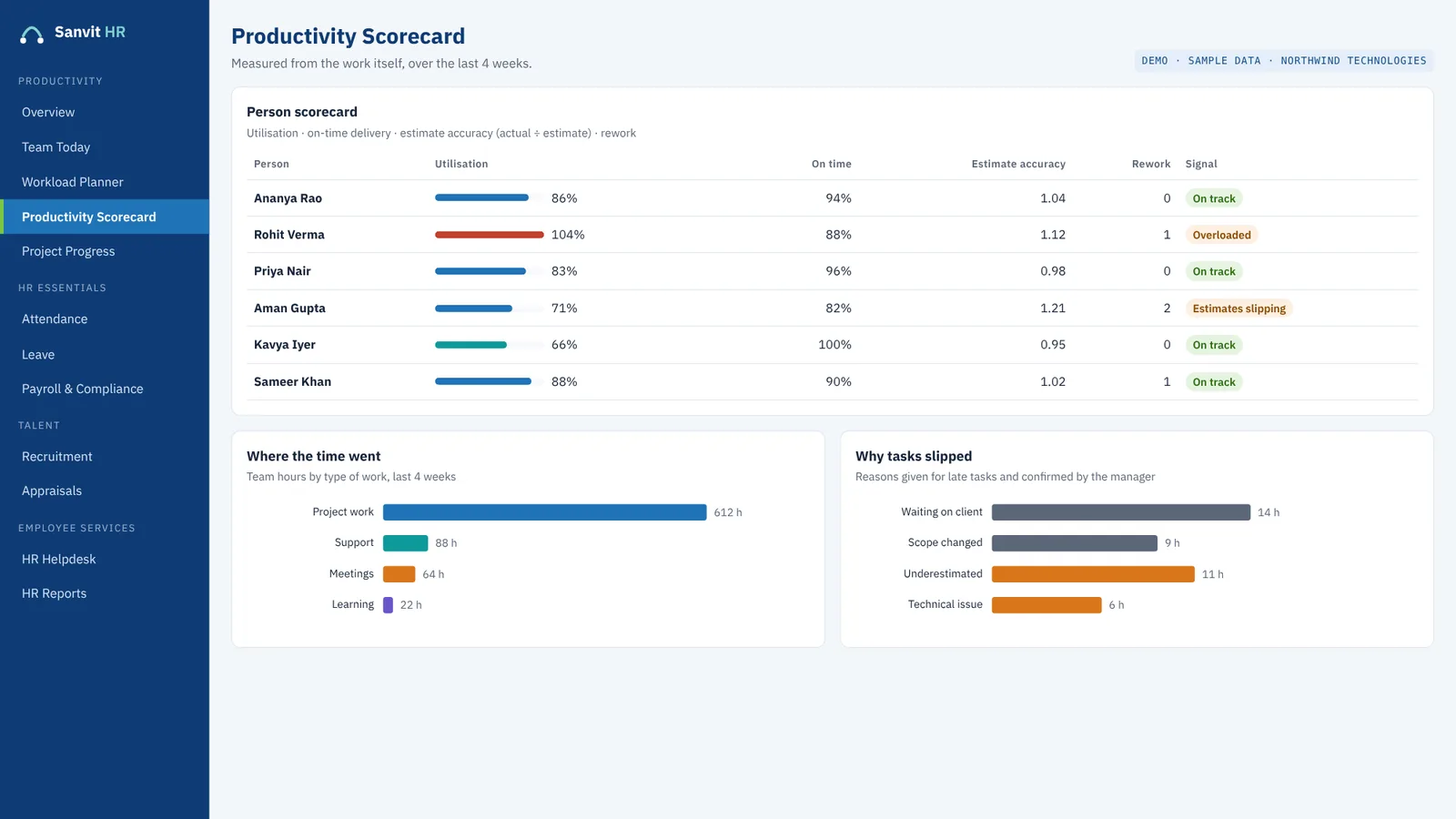
Screen shown with sample data.
Three questions a business owner can answer in minutes
Are we on track today? Team Today puts each person's plan next to their logged hours. Will we be overloaded next month? The workload planner shows booked hours against capacity for the next six weeks. What is this project costing us in people time? Project Progress shows manpower cost against budget as it is spent.
Because all of this sits on the same platform as attendance, leave and payroll, the hours and the people behind them agree with each other, and you do not copy figures between a timesheet tool and an HR system.
Which plan includes the productivity tool?
The Basic plan includes the full HRMS and the core productivity tool, from ₹9,999 a month with free implementation. Ask us during your demo which productivity modules sit in which plan.
Questions
Frequently asked questions
What is workforce productivity software?
It shows how a team's time is planned, spent and delivered. In Sanvit HR that means daily plans against logged hours, workload six weeks ahead, a productivity scorecard and project cost against budget.
How does Sanvit HR measure productivity?
From the work itself: utilisation, on-time delivery, estimate accuracy and rework per person, plus where the team's hours went and why tasks slipped.
Can I see project cost against budget?
Yes. Project Progress shows planned, worked and achieved hours and manpower cost against budget as it is spent.
How is this different from a timesheet tool?
A timesheet records hours. Sanvit HR puts each person's plan next to their logged hours, adds workload ahead of time and project cost, and keeps it all on the same data as attendance, leave and payroll.
Is the productivity tool included in the Basic plan?
Basic includes the core productivity tool and the full HRMS. Ask during your demo which productivity modules sit in which plan.
Keep exploring
More from Sanvit HR
Workload planner
Booked hours by project against team capacity, six weeks ahead.
Read more →Performance management
Appraisal cycles with goals and reviews, backed by a productivity scorecard.
Read more →HR analytics and reports
Headcount, attrition, utilisation and project cost, with reports in Excel or PDF.
Read more →See Sanvit HR with your own team in mind
Book a free 30-minute online demo. We confirm your slot by email, and a 14-day free trial follows, with no credit card.
Book a free demo